


Linux Audio Development (LAD)
Hardware/Software Recipe
Amadeus Paulussen — Artist (Arch Linux, GNOME, Bitwig Studio, Fireface UFX)
Added: 2026-06-09
This is an overview of the hardware and software setup used by Amadeus Paulussen and may serve as inspiration for your own Linux Audio system. Be sure to check the Known Issues, Workarounds, and Additional Notes sections below for important caveats.
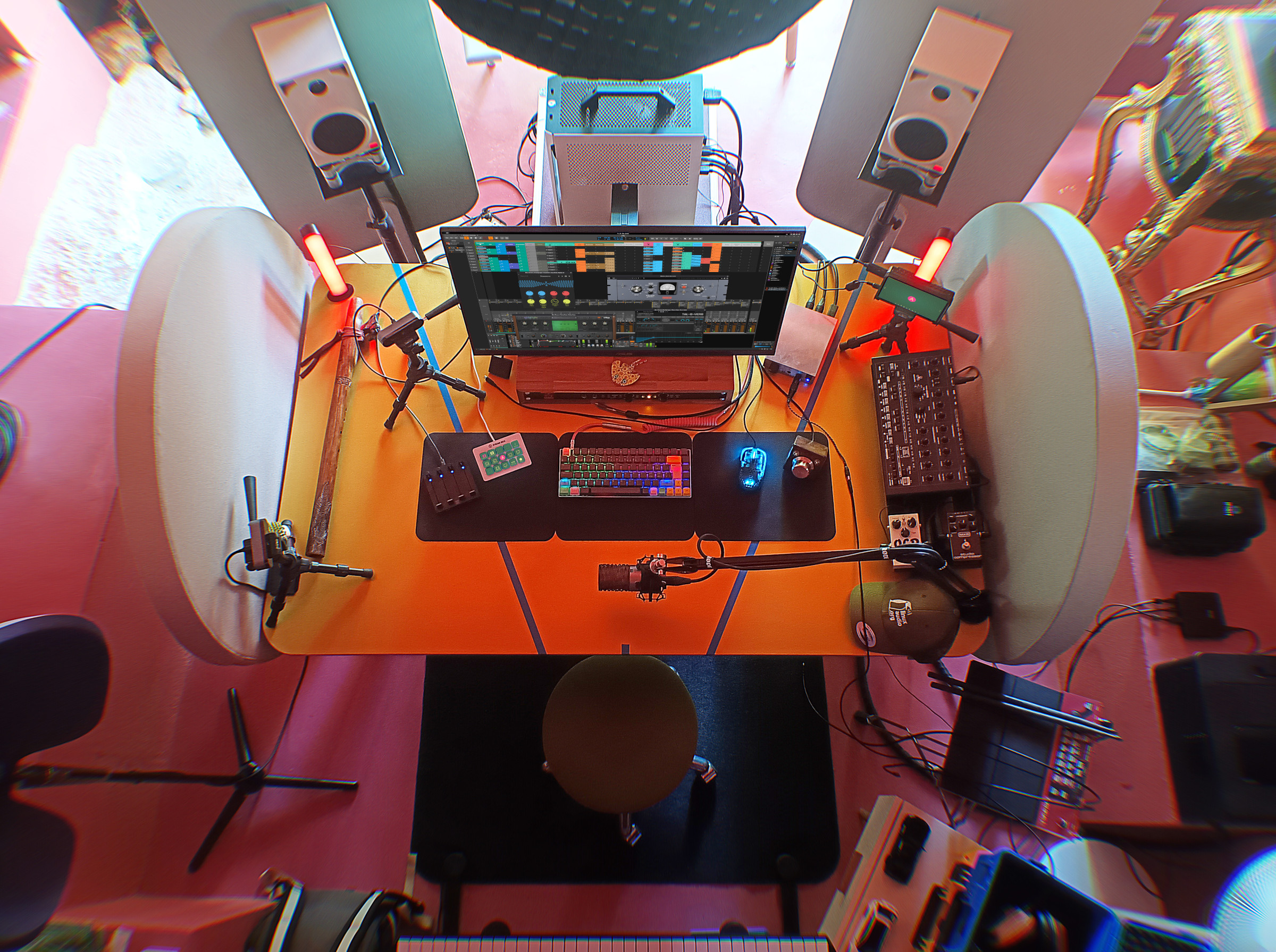
Desktop
- Case: Cerberus X (ATX), Sliger
- Mainboard: ProArt X570-Creator WiFi, ASUS
- CPU: Ryzen 9 3900X, AMD
- Cooler: AXP-Full copper, Thermalright
- GPU: 2 x Radeon Pro WX 7100, AMD
- Storage: 2 x 2TB 970 EVO Plus, Samsung / 2 x 2TB ST2000DM001, Seagate
- Memory: 64GB FURY Beast, Kingston
- OS: Arch Linux, GNOME
- Display #1: 32" VP32UQ, ASUS
- Display #2: 5.5" F5 Pro, Feelworld
- Keyboard: RACE 3 RGB, Vortex Keyboard
Laptop
System
Distribution
Kernel
- linux-rt
Architecture
- x86_64
Display Server / Session
Audio Subsystem
Desktop Environment / Window Manager
Preferred Packaging Format
- Arch Package (pacman)
- Flatpak
- Portable Binary
- Build from Source
- AUR (Arch User Repository)
Additional Hardware
Additional Software
- Crosspipe (dp0sk)
- Millisecond (Gahel)
Audio Production
DAW
- Bitwig Studio (Bitwig)
Audio Interface
- Fireface UFX (RME) — Operated in USB Class Compliant mode
- ADI-8 DS MkIII (RME)
Preferred Plugin Format
- CLAP
- VST3
Known Issues
The Fireface UFX is operated in USB Class Compliant mode, which works flawlessly without additional drivers. However, this limits the available channel count to 18 in / 18 out and requires all hardware settings such as preamp gains and routing to be configured directly on the device's front panel, as TotalMix FX and other RME software are unavailable on Linux.
Additional Notes
Want to know more about Amadeus Paulussen? 🤓 Read their Spotlight Interview!